Choose ServiceTitan if…
- You need its HVAC-focused dispatch and technician workflow.
- You rely on detailed customer and job history in the field.
- Your operation needs the configuration and integrations you already use in ServiceTitan.
Evaluating a ServiceTitan alternative? Start with dispatch, technician information and the office-to-field handoff. Compare your actual HVAC workflow and required integrations before moving systems.
14-day free trial. No credit card required to start. Choose a plan and enter payment details to continue. No automatic charge.
Compare the tools each product describes for your work. Feature availability, usage and optional services matter more than a simple checkmark.
Actual OptimizeIt demonstration accounts—not mockups or competitor screens.
Check customer details, editable line items and the customer preview in the same estimate workspace.
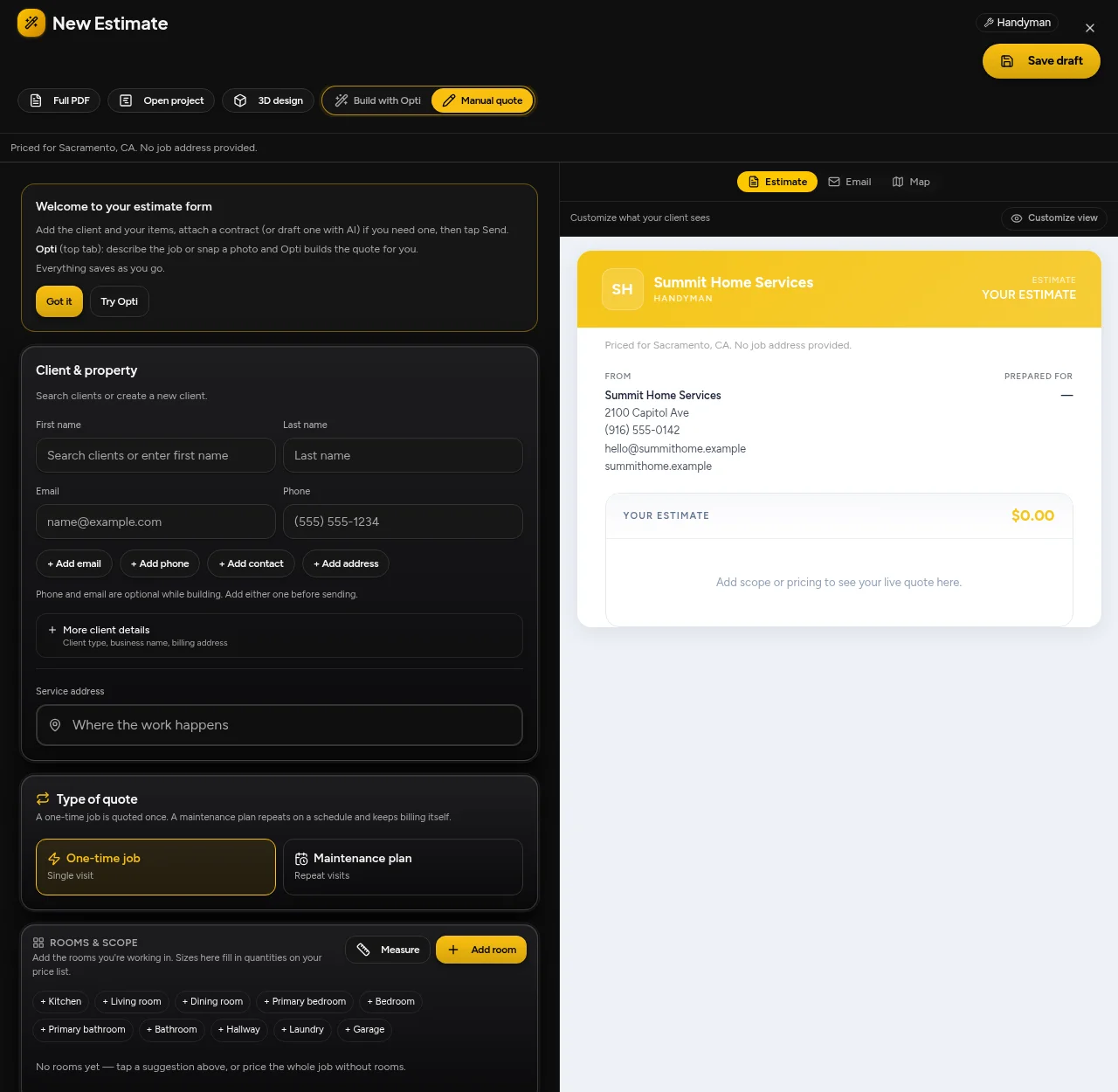
Review the next booking or scheduling action without rebuilding the customer record.
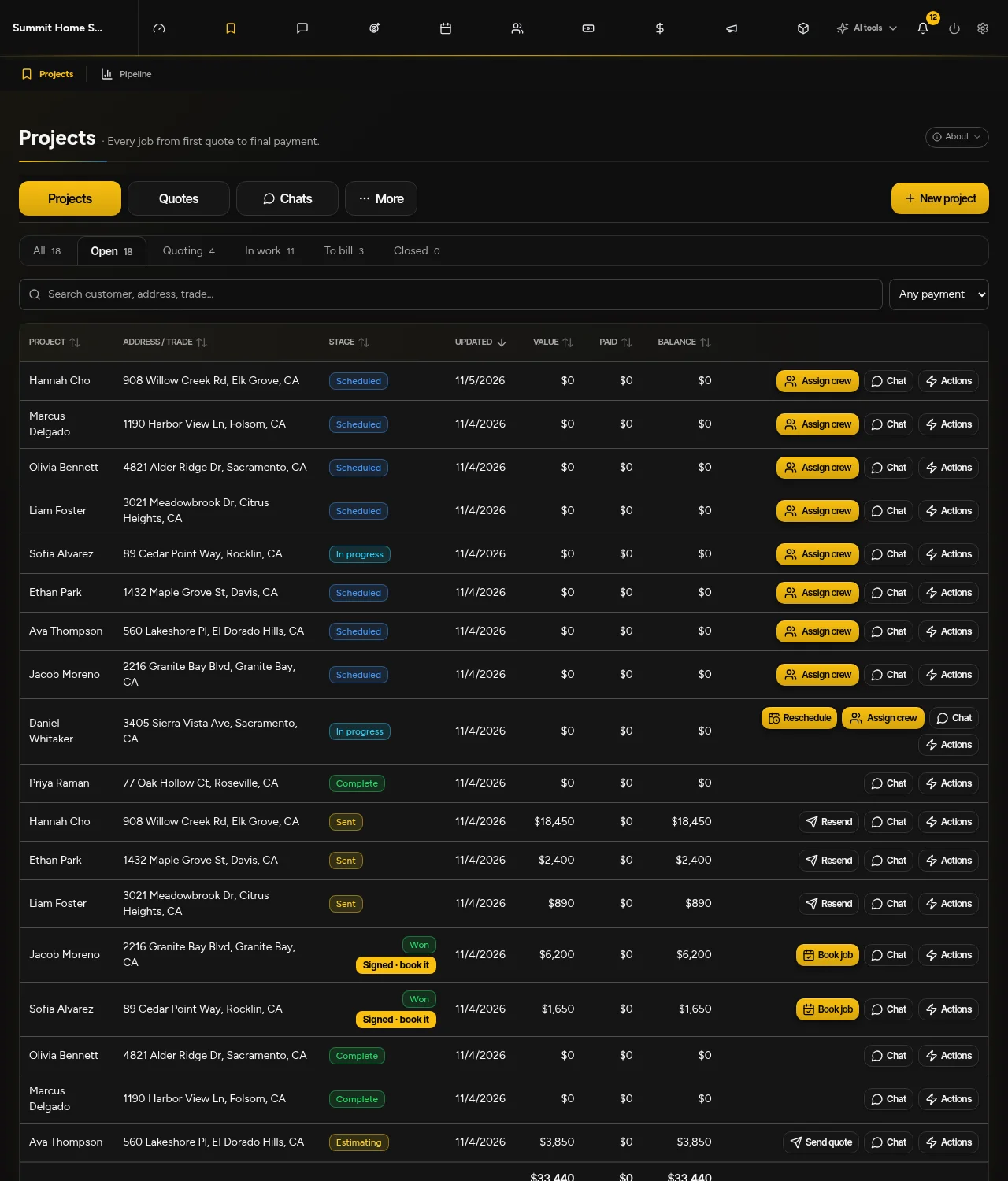
Calendar and crew assignments with booking/reschedule controls.
Customer and project records with scoped access; test what each team role can see.
Lead Desk defaults to Drafts only. Optional instant replies and eligible callbacks require setup, channel permissions and consent.
Use sample work first. Confirm data exports, import scope and required integrations before cancelling your current system. Keep one authoritative customer and project record; automatic synchronization is not assumed.
Test one repair call and one installation project. Check dispatch, technician access, pricing, customer history, accounting connections and reports. Obtain the vendor’s written plan scope and implementation terms. No universal price, rollout time or automatic data-import promise is assumed here.
Include the software plan, team access, phone answering, usage, add-ons and implementation. Compare renewal terms, not only introductory rates. OptimizeIt AI Voice Agent access is on Pro; agent-minute allowances are separate from ordinary phone minutes.
No automatic transfer is promised. Confirm available exports, required record types and import scope with our team, then review sample records before cancelling your existing system.
14-day free trial. No credit card required to start. Saved work becomes view-only after an unpaid trial expires. Choose a plan and enter payment details to continue. No automatic charge.
Official material reviewed November 5, 2026. We publish this comparison as OptimizeIt, not an independent review site. Exact competitor prices are not quoted because selected team sizes, promotions and add-ons change the total.
OptimizeIt plans and usage allowancesA clearer look at estimates, dispatch and customer follow-up. See where each product fits—and what to check before you switch.
Compare Housecall ProLooking for a Handoff AI alternative? Compare how a written scope, photo or plan becomes a reviewed estimate—and what happens when the customer approves it. Both products offer AI assistance; the difference is the workflow and plan you actually need.
Compare HandoffEvaluating Buildertrend alternatives? Compare a residential project from its cost catalog and proposal through the budget, schedule and customer handoff—not a service-call checklist.
Compare Buildertrend14-day free trial. No credit card required to start.