Choose Houzz Pro if…
- You need Houzz Pro’s 3D floor planning and takeoff workflow.
- Your team relies on its project schedules, daily logs and client collaboration.
- You want its AI-assisted financial documents and estimate-to-schedule tools.
For remodelers, the important handoff is from scope and design to the schedule and customer approval. Compare the estimating, planning and visualization workflow in each product.
14-day free trial. No credit card required to start. Choose a plan and enter payment details to continue. No automatic charge.
Compare the tools each product describes for your work. Feature availability, usage and optional services matter more than a simple checkmark.
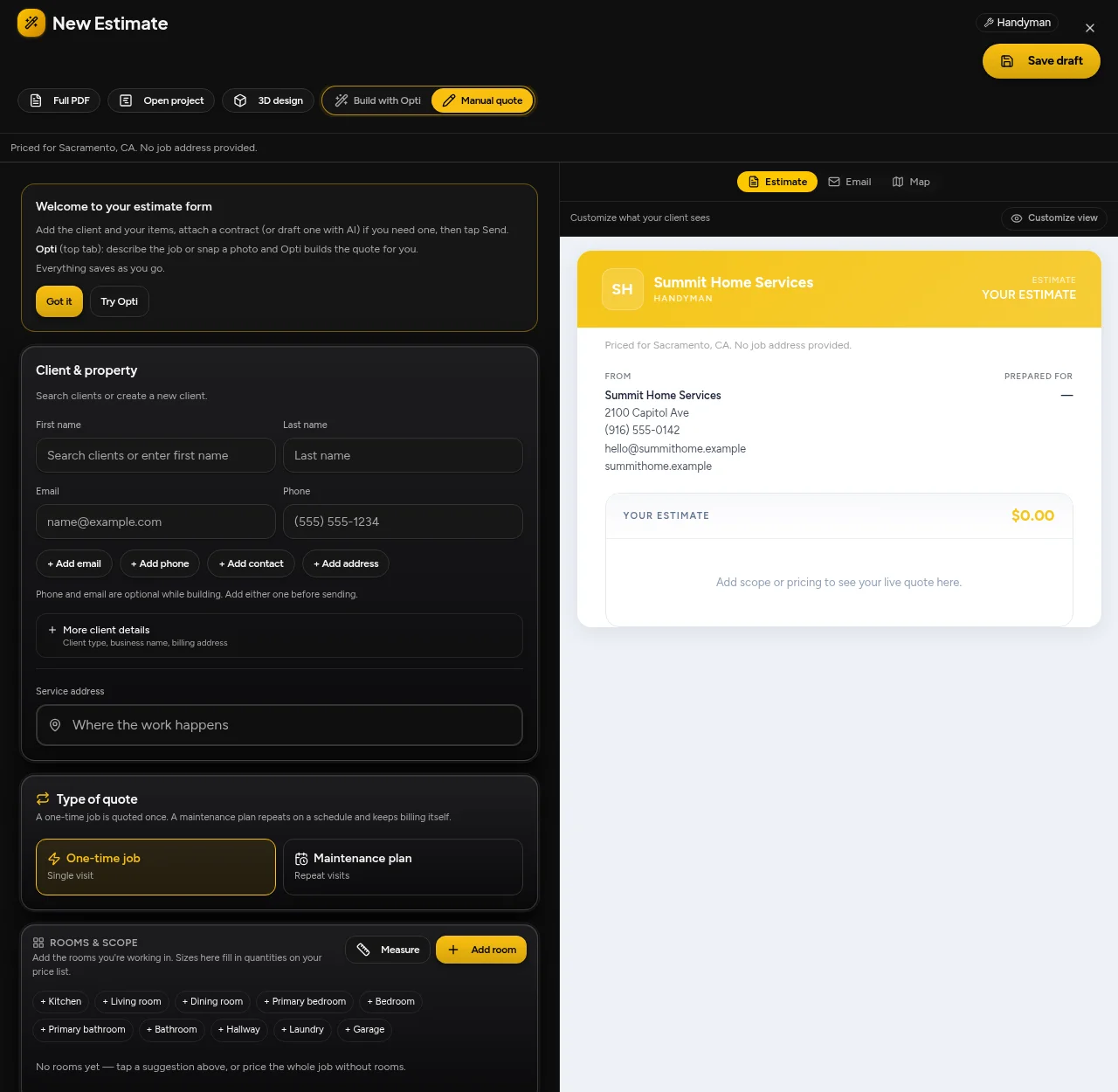
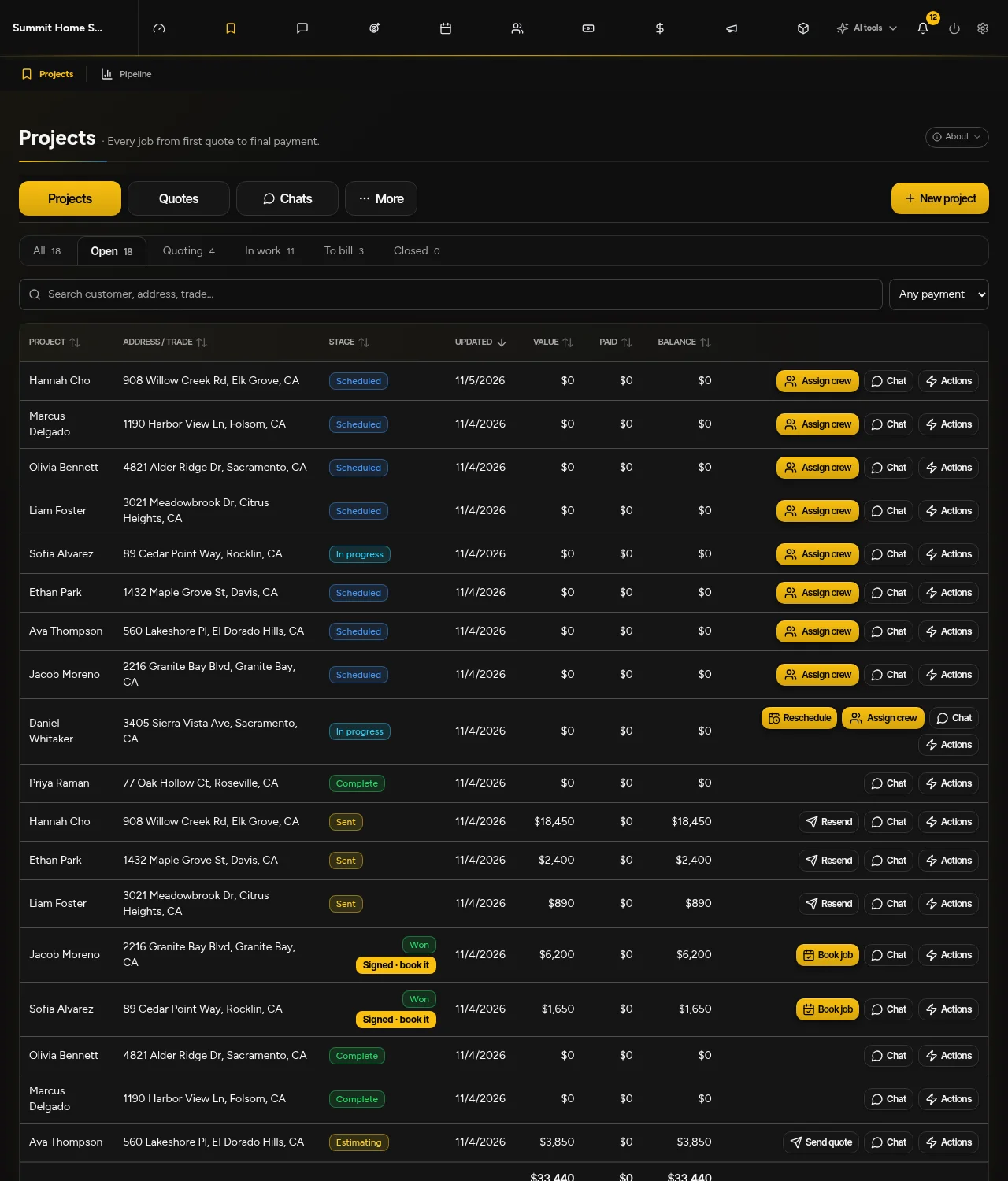
Actual OptimizeIt demonstration accounts—not mockups or competitor screens.
Check customer details, editable line items and the customer preview in the same estimate workspace.
Review the next booking or scheduling action without rebuilding the customer record.
Manual and Opti-assisted editable drafts from supported photos, plans and job details; review quantities and prices.
Supported editable 3D design and quote-to-design handoffs; approximate property quantities need owner review.
Lead Desk defaults to Drafts only. Optional instant replies and eligible callbacks require setup, channel permissions and consent.
Use sample work first. Confirm data exports, import scope and required integrations before cancelling your current system. Keep one authoritative customer and project record; automatic synchronization is not assumed.
Yes. Houzz Pro describes 3D floor plans, takeoffs and AI-assisted workflows. This is a comparison with Houzz Pro business software, not the Houzz consumer directory. Test model editing, quantities and estimate-to-schedule behavior in both products before switching.
Include the software plan, team access, phone answering, usage, add-ons and implementation. Compare renewal terms, not only introductory rates. OptimizeIt AI Voice Agent access is on Pro; agent-minute allowances are separate from ordinary phone minutes.
No automatic transfer is promised. Confirm available exports, required record types and import scope with our team, then review sample records before cancelling your existing system.
14-day free trial. No credit card required to start. Saved work becomes view-only after an unpaid trial expires. Choose a plan and enter payment details to continue. No automatic charge.
Official material reviewed November 5, 2026. We publish this comparison as OptimizeIt, not an independent review site. Exact competitor prices are not quoted because selected team sizes, promotions and add-ons change the total.
OptimizeIt plans and usage allowancesA clearer look at estimates, dispatch and customer follow-up. See where each product fits—and what to check before you switch.
Compare Housecall ProLooking for a Handoff AI alternative? Compare how a written scope, photo or plan becomes a reviewed estimate—and what happens when the customer approves it. Both products offer AI assistance; the difference is the workflow and plan you actually need.
Compare HandoffEvaluating Buildertrend alternatives? Compare a residential project from its cost catalog and proposal through the budget, schedule and customer handoff—not a service-call checklist.
Compare Buildertrend14-day free trial. No credit card required to start.